Breakdance has a Term Loop Builder, below are a couple of standard options that could be useful to use. Remove what you don’t need.
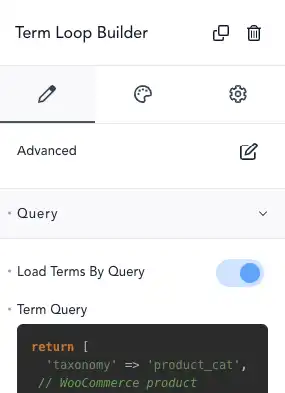
return [
  'taxonomy'   => 'category', // The taxonomy to query (e.g., 'category', 'post_tag', or custom taxonomy).
  'hide_empty' => false,      // Set to true to exclude terms with no posts assigned.
  'number'     => 10,         // Limits the number of terms retrieved.
  'offset'     => 2,          // Skips the first N terms (e.g., skip the first 2 terms).
  'include'    => [3, 5, 8],  // Include only specific term IDs in the results.
  'exclude'    => [1, 4],     // Exclude specific term IDs from the results.
  'slug'       => 'news',     // Fetch only the term with a specific slug (e.g., 'news').
  'parent'     => 0,          // Fetch terms that have no parent (top-level terms only).
  'child_of'   => 7,          // Fetch only terms that are children of term ID 7.
  'meta_key'   => 'custom_key', // Use this key to filter terms based on custom metadata (used with meta_value or meta_compare).
  'meta_value' => 'value',      // Fetch terms where the meta_key has this value.
  'meta_compare' => 'LIKE',     // Compare meta_value with a condition (e.g., '=', '!=', 'LIKE', etc.).
  'orderby'    => 'name',       // Sort terms by 'name', 'slug', 'count', 'term_group', etc.
  'order'      => 'ASC',        // Specify sort order: ASC (ascending) or DESC (descending).
  'search'     => 'technology', // Search for terms that match the keyword.
  'name'       => 'specific-name', // Fetch the term with this specific name.
  'name__like' => 'tech',       // Fetch terms whose names contain this string.
  'hierarchical' => true,       // Include hierarchical terms (with descendants).
];
Eg: post categories
return [
  'taxonomy'   => 'category', // Use the 'category' taxonomy for blog categories
  'hide_empty' => false,      // Include categories even if they have no posts
  'number'     => 6,          // Limit the number of categories to display
  'exclude'    => [1],        // Exclude "Uncategorized" by its term ID
];
Eg: product categories
return [
  'taxonomy'   => 'product_cat', // Use the 'product_cat' taxonomy for WooCommerce product categories
  'hide_empty' => false,         // Include categories even if they have no products
  'number'     => 6,             // Limit the number of categories to display
  'exclude'    => [1],           // Exclude "Uncategorized" by its term ID
];